Workspace settings
This page says what each tab under Settings holds and who can change it.
- Open the menu under your avatar and choose
Settings. It opens onGeneral. - Pick a tab from the list on the left. Every member sees every tab.
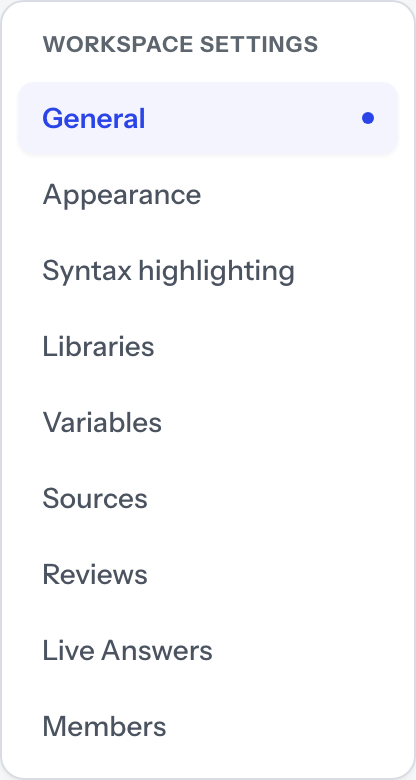
General
Your avatar comes first, and it is yours rather than the workspace's — see Your account. Below it, Workspace Profile holds the Workspace Name and Accent Color. An admin edits those and presses Save Settings; anyone else sees the fields switched off and no button. The owner also gets Workspace Address, which moves the workspace to a new address with Update Address, and every member who is not the owner gets Leave workspace.
Appearance
Colour mode (System, Light, Dark), Density (Comfortable, Dense) and Reduce motion (Follow the system, Full motion, Reduced). Each choice applies as you press it and is saved as your own preference, so it changes nothing for anyone else.
Syntax highlighting
The colours code blocks are drawn in, chosen from Available Themes under a sample. Like Appearance, the choice is yours alone and kept in this browser; the row marked here is the last palette you picked in any of them.
Libraries
Every library you can see, with its snippet and collection counts and whether it is shared or Personal. Curators and admins get Create library and Edit. Set Default and Archive library are admin-only, present and off with the reason for a curator; neither is on the default library's row, and Archive library waits until a second library exists. Libraries covers the rest.
Variables
Field definitions — the workspace's named fields, each with an optional helper prompt. Archived fields and Reusable Deal Profiles each appear once there is one to show. Curators and admins get Define field and the per-row controls; anyone else reads the lists.
Sources
Three ways content comes in from outside: Google Drive & Google Docs, GitHub Repository Import and Local Folder (this computer). Where the browser cannot grant access to a folder, that last section says so instead of offering a button.
Google Drive & Google Docs import and GitHub Repository Import are on Team,
Business and Enterprise. Local Folder (this computer) and file upload are on
every plan. A workspace created before those two became part of a plan keeps
them.
Where the plan does not carry one, its section shows a note,
Google Drive import is on Team. or GitHub repository import is on Team.,
followed by the offer of file upload and local folders, Talk to us and
(CCE-2115). Its import buttons are off: Save repository and the
repository's import button for GitHub; folder selection, sync and
Import Google Docs for Drive. Removing an existing source, Forget token,
Disconnect and Remove folder still work.
Reviews
One block per library you can see, setting how long a certification lasts there: a Review window in days, or Never expires. A change applies from the next certification, and dates already written stay. Saving takes an admin: anyone else is refused with Review settings are admin settings. An admin of this workspace can change them. On a shared library an admin also gets A second reader certifies content in this library.
Live Answers
Whether Live Answers runs, what transcribes speech, how long a call's asks are kept under History, whether Members may keep a call for good, your Company and product names, and Look up documentation during a call. An admin changes these; anyone else sees the same values under Only an admin can change these. Every member has Keep every call of mine under Your calls. Retention covers the window.
Members
Who is in the workspace and what each person may do. See Members.