Exporting
Export opens a sheet of six formats.
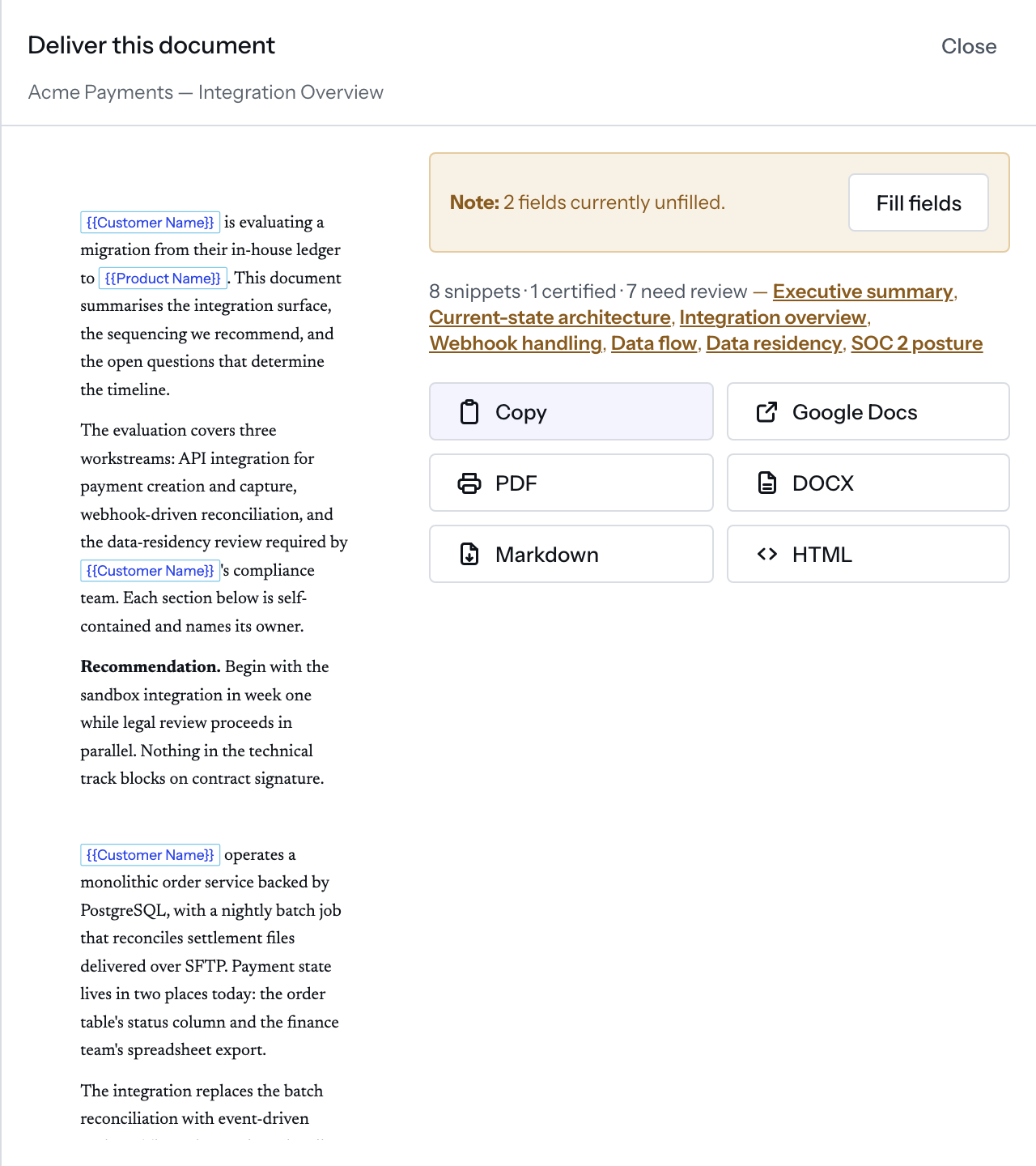
This page is the panes docked, the editor closed, no prompter running.
Copy, Markdown and HTML are on every plan. PDF and DOCX are on Team,
Business and Enterprise. Google Docs is on Business and Enterprise. A
workspace created before they became part of a plan keeps all three. Where the
plan lacks one, its button carries the plan's name (PDF · Team,
Google Docs · Business), and pressing it shows
PDF is on Team. Copy, Markdown and HTML carry every byte of this document.
and (CCE-2115) instead of exporting.
Before you choose
An unfilled field puts a Note: first, counted beside Fill fields, which
closes this sheet and opens the Fields sheet; nothing
reopens it.
Then the review line over the snippet rows, skipping a row whose snippet is
gone. All certified, it gives the count and certified; otherwise the count,
any certified count, how many need review, and each by title. No snippet rows,
no line. It warns, and never blocks.
The six
Copy— the rendered sheet as rich text and its text as plain; plain only withoutClipboardItem.Google Docs(Business and up) — a Word file from the rows, converted to a Doc in the connected Drive and opened in a tab; failing that, Google's consent, or your clipboard anddocs.new.PDF(Team and up) — this tab's print dialog, reportedSent to the print dialog.DOCX(Team and up) — a Word file built in the browser.Markdown— a.mdfile.HTML— one.htmlfile: a style block, the title as a heading, the sheet's markup; images stay links.
Copy, PDF and HTML read the rendered sheet in pane 3; DOCX, Markdown
and the Doc are built from the rows. With a prompter docked in pane 3 there is
no sheet to read: Copy writes composed Markdown with an empty plain half, or
nothing without ClipboardItem, and HTML writes the title and an empty body
(#871).
Copy carries the light CCE palette, never the one you read in. PDF prints
this tab, so code keeps the theme at /w/<workspace>/settings/syntax. DOCX,
HTML, Markdown and the Doc carry no palette, and the Word file writes each
fence as source in one ink. A diagram is a picture through Copy, PDF and
HTML, and fence source through Markdown and DOCX.
Copy and Copy for Email drop the document's separators; the others keep
them. Copy for Email is that HTML with email typography inlined; Copy as Markdown puts composed Markdown on the clipboard, not in a file.
Nothing meters this: a daily export figure sits in the limits table and nothing counts against it.