Keyboard
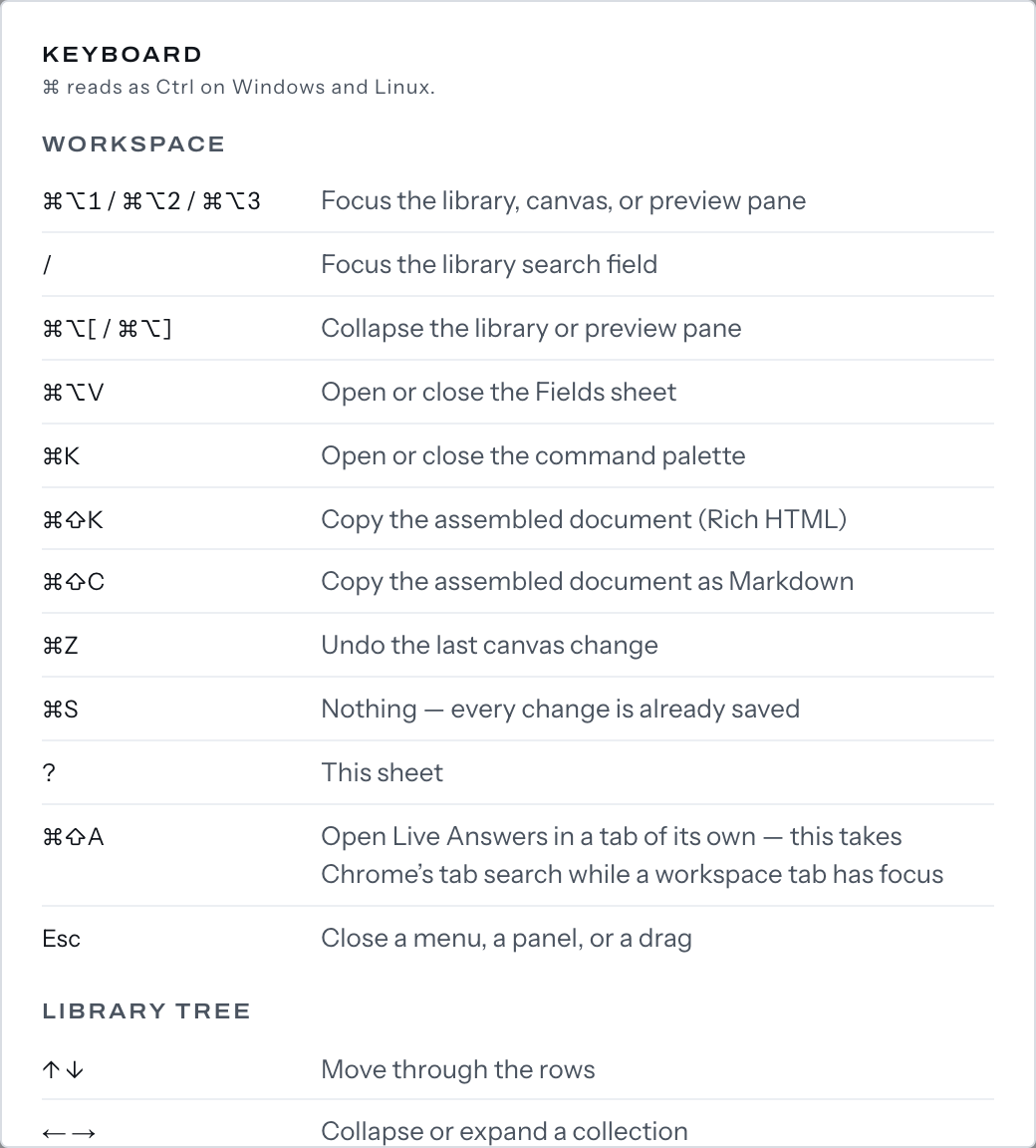
These are the keys the workspace answers to, and the state each needs.
⌘ is Ctrl on Windows and Linux. While you type, ?, / and ⌘Z go to what you are typing in.
Anywhere in the workspace
| Key | What it does |
|---|---|
⌘⌥1 / ⌘⌥2 / ⌘⌥3 |
Focuses the library, canvas or preview pane, restoring a collapsed one |
/ |
Focuses pane 1's search field, when it is on screen |
⌘⌥[ / ⌘⌥] |
Collapses or restores the library or preview pane when docked; when the preview is an overlay, ⌘⌥] leaves it on screen |
⌘⌥V |
Opens or closes the Fields sheet; with the editor open, neither exists |
⌘K |
Opens or closes the command palette |
⌘⇧K / ⌘⇧C |
Copies the document as rich text, or Markdown. Editor closed, canvas not empty; the rich copy is built from pane 3's preview, so a docked prompter gets Markdown |
⌘Z |
Undoes the last insert, remove, duplicate, heading change, refresh or reorder |
⌘S |
Says Saved. Everything is a revision.; in the editor body, flushes the save |
⌘⇧A |
Opens Live Answers in its own tab |
? |
Opens the Keyboard sheet |
Esc |
Closes a menu, panel or drag |
Library tree
On a row of pane 1's Library tab:
| Key | What it does |
|---|---|
↑ ↓ |
Moves between rows |
← → / Space |
Expands or collapses a row with rows under it |
⌘⏎ |
Opens the snippet in the editor |
⇧⏎ |
Runs Quicklook on the snippet |
⌘C |
Copies the snippet as rich text, unless text is selected |
⇧F10 |
Opens the row's menu |
N |
Runs New snippet |
⇧N |
Runs New collection in the row you are on, or a snippet's library |
⏎ inserts the snippet at the insertion point, or opens it while the editor is open. On a collection it inserts every snippet in it and its sub-collections, or toggles one holding none — with the editor open, only that toggle. A library toggles.
Canvas
On a canvas row:
| Key | What it does |
|---|---|
↑ ↓ |
Moves the selection; the insertion point follows |
Home / End |
Moves to the first or last row |
⌥↑ / ⌥↓ |
Moves the selected row up or down |
⌘⌫ |
Removes the selected row; the toast offers Undo |
⇧F10 |
Opens the row's menu |
Pane dividers
On a divider (Resize library pane, Resize canvas pane): → widens the pane to its left and ← narrows it by up to 16 pixels, or 64 with ⇧; Home and End set its limits; ⏎ collapses the library at the first, the preview at the second. The second goes with the overlay preview, both in the one-pane layout.
Command palette
↑ ↓ move between rows; ⏎ runs the verb the footer names; ⌘⏎ opens the highlighted snippet in the editor; ⌘C copies it and closes the palette unless text is selected.