Overview
CCEForge is document assembly for customer-facing teams and anyone who answers with an email or a document: you keep a curated library of reusable text, drag the pieces you need onto a canvas, and take the finished document out as a copy, a Markdown or HTML file, a DOCX, a PDF or a Google Doc. The library is governed — a piece can be reviewed, certified by a second reader, and expire — so the sentence you paste into a customer document is one somebody stood behind. Everything happens in one workspace of three panes, and the product never asks what kind of document you are making.
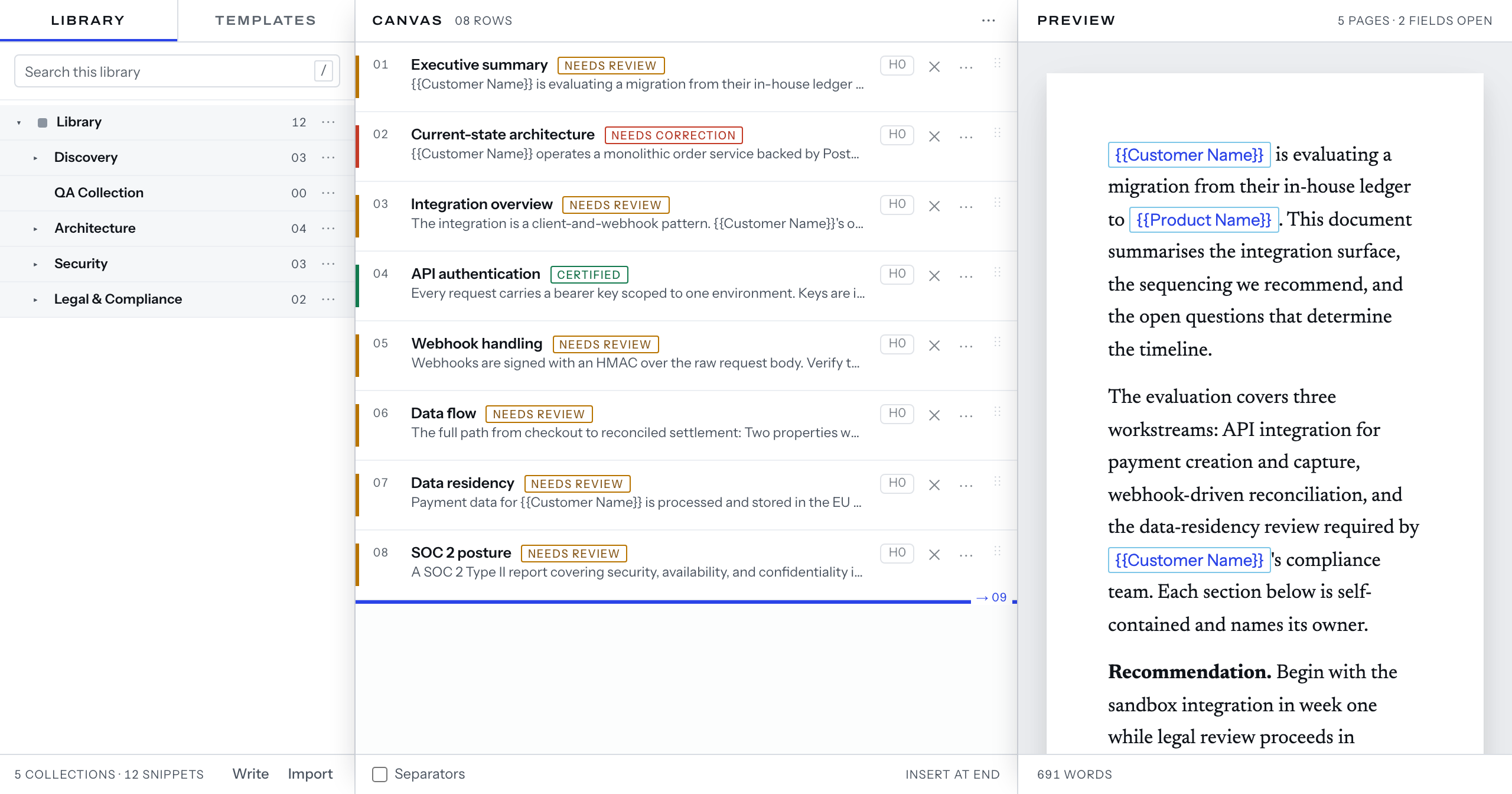
The words
- Snippet — a partial chunk of reusable text. The atom of the library.
- Template — a reusable set of snippets, saved so the next document starts part-written.
- Document — what you are assembling, and what you export.
- Library — where snippets live. A workspace can have shared libraries and Personal ones.
- Collection — a folder in the library tree. Moving or renaming one never changes what a snippet is.
- Field — a
{{placeholder}}you fill once and the whole document picks up. - Review — the seal a snippet carries, such as
CertifiedorNeeds review. - Prompter — the built-in dynamic prompter. It puts the document on screen, and cues advance it.
Where to start
- Get started — sign in, the three panes, your first document and your first export.
- Library — getting content in, and keeping it findable.
- Reference — the file formats the product reads and writes.